Androidで、カメラ機能で撮影した画像の保存方法は?
今回は、前回からの続編です。
Androidアプリのカメラのプレビュー画像の取得方法
この記事で紹介したカメラ機能の使い方で、取得したカメラ画像の保存方法の例を2パターンほど紹介したいと思います。
(カメラで取得した画像は、Bitmap型のオブジェクトとして生成済みという想定で話を進めます。)
MediaStoreを使った保存処理
早速サンプルコードを示しますと、以下のようになります。
MediaStore.Images.Media.insertImage(getContentResolver(), bmp, “”, “”);
MediaStore.Images.Mediaクラスのstaticメソッド insertImage()を使います。
MediaStoreは、android.providerというパッケージのクラスです。
第一引数は、ContentResolver型インスタンスです。
普通にActivityを継承させたクラス上で実装する場合は、サンプルのように、getContentResolver()を使うといいでしょう。
そうでなくて、この処理を別クラスとして実装した場合は、呼び元のActivityから、Context型インスタンスをコンストラクタを通じて渡すとかして使いましょう。
第二引数は、カメラ画像で生成したBitmap型インスタンスです。
第三引数は画像のタイトルの文字列を、第四引数は画像の詳細説明を示す文字列を設定します。
特に気にしないのであれば空文字でOKです。
こうすると、以下のディレクトリに保存されます。
/sdcard/DCIM/Camera/
エミュレータでも、Xperiaでも、上記のディレクトリに保存されました。
実際のファイル名は、重複しないように自動的につけてくれるっぽいです。
余談ですが、Xperiaについて話をしますと、Xperia標準のカメラアプリで取得した画像は、以下のディレクトリに保存されるようです。
/sdcard/DCIM/100ANDRO/
Xperia標準で搭載されているMediascape、Timescapeというアプリで閲覧できるカメラ画像は、このディレクトリに保存された画像ファイルのようです。
ですので、先ほどの処理で保存した画像は、XperiaのMediascapeなどで閲覧する事は出来ませんでした。
保存先を変えるには、今回紹介した方法とは別の方法で実装してやる必要があると思います。
FileOutputStreamとかを使用して、ベタでファイルパスを指定してやればいけるかもしれません。
次にFileOutputStreamを使う方法を紹介しますので、興味のある方は試してみてください。
スポンサーリンク
ローカルファイルへの保存
ローカルファイルとは、アプリ毎に用意された保存領域に保存されるファイルの事です。
具体的には以下のパスに保存されます。
/data/data/パッケージ名/files/
ローカルファイルについては、以下の記事を参照してください。
Androidアプリのデータ保存方法の一つ「ローカルファイル」の使い方
ローカルファイルの保存先について
それではサンプルコードを示します。
try {
FileOutputStream out = openFileOutput(“a.jpg”, Context.MODE_WORLD_READABLE);
bmp.compress(Bitmap.CompressFormat.JPEG, 100, out);
out.close();
} catch (Exception e) {
e.printStackTrace();
}
まずはopenFileOutput()で、FileOutputStreamを生成します。
openFileOutput()はContextのメソッドですので、先ほど紹介したgetContentResolver()と同じ使い方です。
第一引数はファイル名を指定しますが、サンプルでは、「a.jpg」と固定ですが、このようにファイル名を指定してやらないといけないので、実用的なカメラアプリとするためには、ファイル名が毎回変わるように、ファイル名を決定するロジックも考えないといけませんね。
(単純に、年月日時分秒などを使えばいいかと思いますが。)
そして、カメラ画像で生成していたBitmapオブジェクトを、そのOutputStreamへ流し込みます。
Bitmapのcompressメソッドを使います。
第一引数はファイルのフォーマットを指定します。
第二引数はQualityを示す数値で、通常は100でいいでしょう。
第三引数に、先ほどのOutputStreamを指定します。
ちなみに、エミュレータでは、カメラで保存した画像ファイルは、以下のように若干乱れが生じる場合があります。
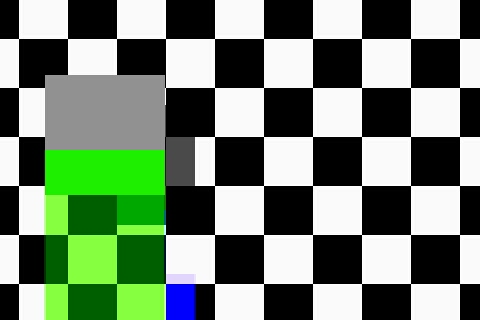
実機で確認すると、ちゃんと保存されている(はず)なので、カメラアプリを作って公開するのでしたら、実機でも動作確認しておいた方がよいと思います。
ちなみに、今回紹介した方法は、前回のAndroidアプリのカメラのプレビュー画像の取得方法の続きです。
シャッター音なんて気にしないから、CameraのtekePicture()メソッドを使うという場合は、こんな回りくどい方法はしなくていいです。
それはまた別の機会に紹介します。
次は、今回のやり方で保存した画像の一覧表示をさせる方法を考えたいと思っていますので、また紹介させて頂きます。


No commented yet.