Android Senki mucchin

Android Senki mucchin | How to Add Activity in Eclipse

(Or rather, application development) fight against Android app mucchin that I am is a record of. I will continue to introduce questions and problems and hit spotted, and their solutions. Update is irregular ....

How to Add Activity in Eclipse

Sponsored Links

The app, you want to add an Activity, but approach it?

When you add a Android Project in Eclipse, java file of Activity that comes up first is not it is generated.
Depending on the Android app you want to develop, there will be if you want to have more than one Activity.
I think in many books and sites, has an article on adding the Activity, but also any article, and, confusing the first step of the additional really not good.
Man of cans, though you will see in it.
Such procedure, or would not be where it is compared to the way of processing in the program, I want you to tell me take-home gait, if possible?
I think you're at it, I try to introduce after tax gait as much as possible, the procedure of adding Activity using Eclipse.


I add java files 1.Activity of the (Class).
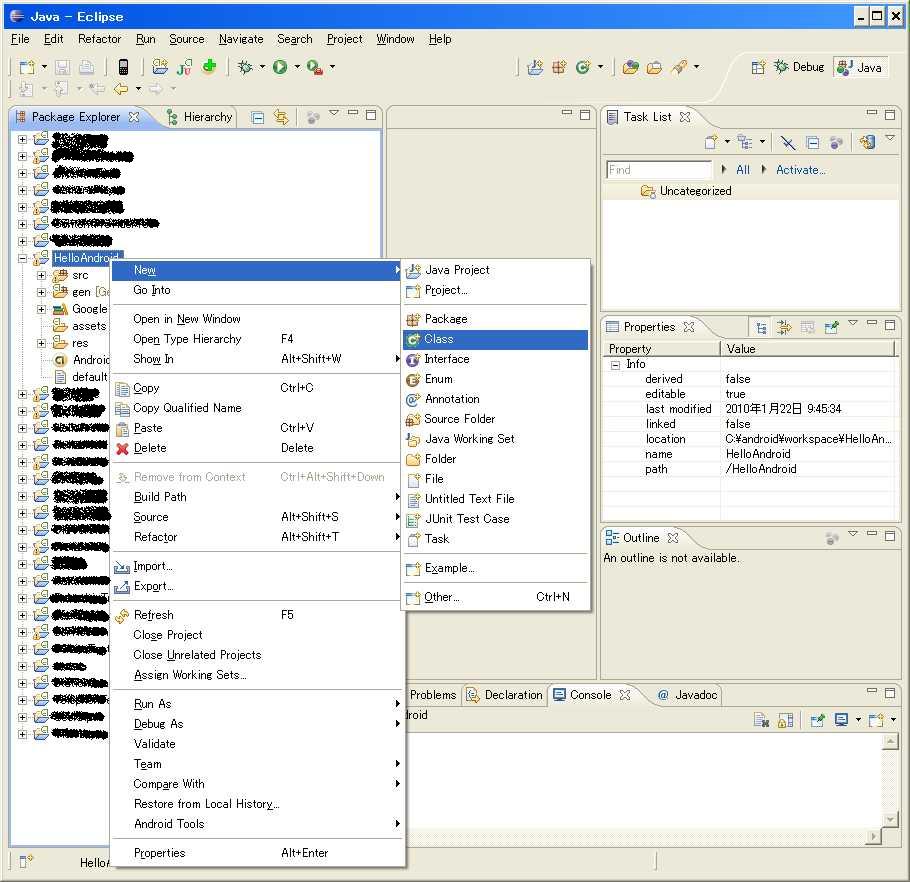
From Package Explorer, at the package made of Android Project you want to add the Activity, the src-> first, right-click.
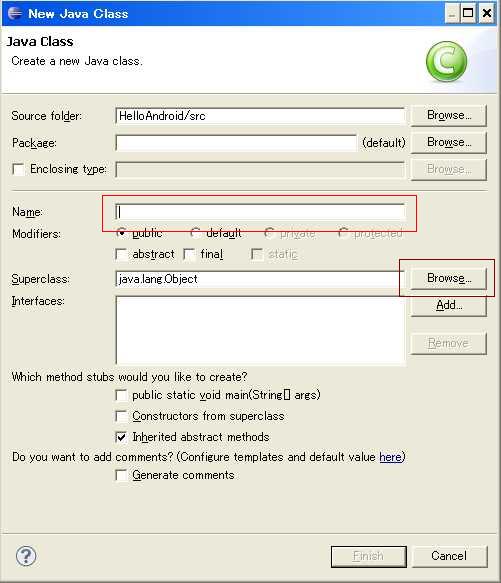
And, if you select New-> Class, New Java Class window opens.
How to Add Activity in Eclipse
I enter the name of any class in the "Name". (Red frame portion of the image)
This is the java file name.
Because there is a button labeled "Browse" to the far right of a place called "Super Class", I press. (Part of the frame the brown image)
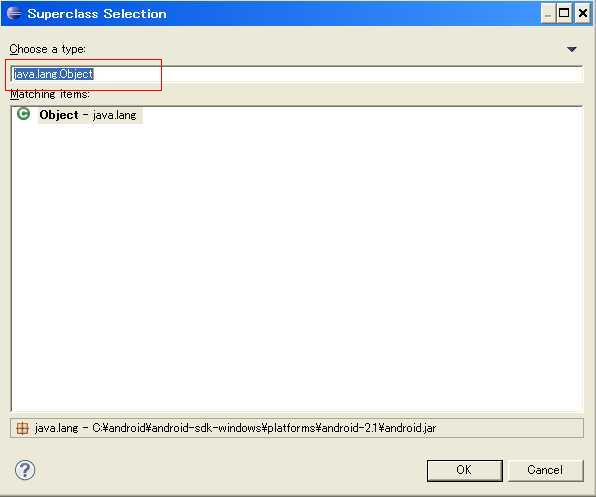
Then, Supperclass Selection screen opens.
How to Add Activity in Eclipse
Since I think the red part of the image frame, the first listed as "java.lang.Object" perhaps, clear.
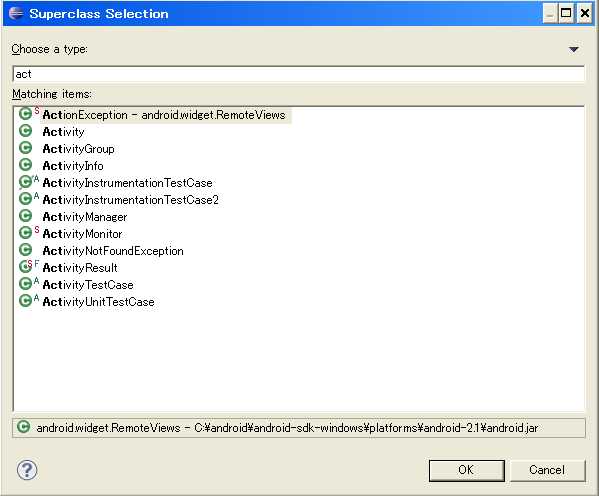
I choose it if there is an "Activity" from the list below.
It is an inherited mere Activity class as (for example, but you need to inherit the MapActivity and ListActivity. Please select the class you want on a case-by-case basis, to inherit.
So can you change a class that inherits from the code later of course, it is all right even by mistake here. )
If it is missing, it like the image below, in the text box, if I type A cti · · ·, listing, so will have been squeezed together in the character, it is useful to Once you have become accustomed.
How to Add Activity in Eclipse
Then, press OK, and press the Finish button when you return.
Now, java file is generated completion.


Sponsored Links


I describe the declaration of Activity that you added to the 2.Manifest.xml.
Add a java file, just by implementation, Activity does not work.
The Manifest file, you need to add the declaration of the Activity.
The contents of the XML, it is the following form. (If you want to add the Activity of xxxActivity.java)
<activity android:name="xxxActivity"> </ activity>
Now, let's explain how to set up in Eclipse.
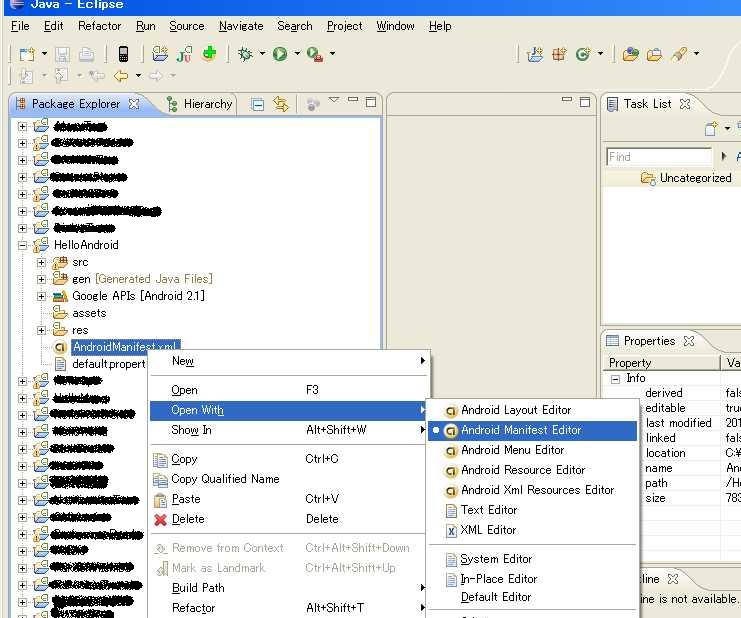
First, like the image below, I open it in the Android Manifest Editor the AndroidManifest.xml. (Because it is associated usually, OK. Double-click)
How to Add Activity in Eclipse
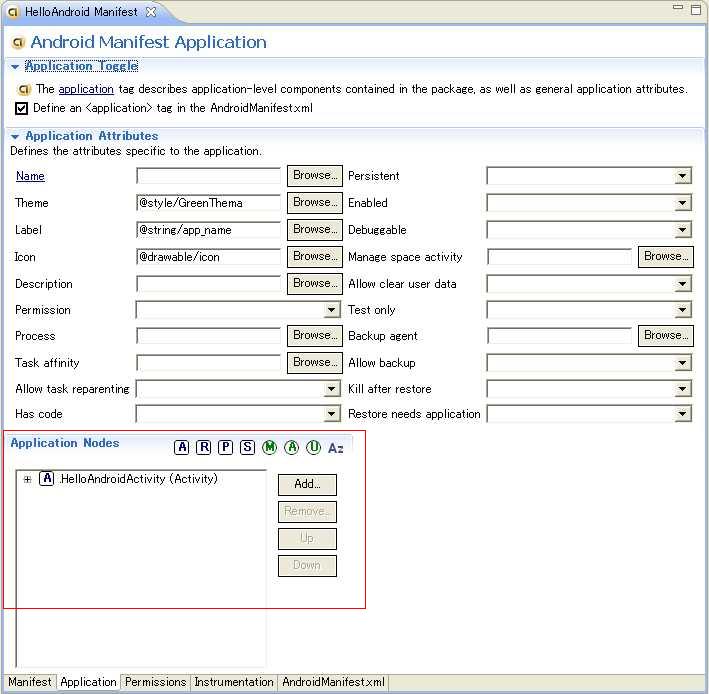
And I will open the Application tab. It is a screen like the following.
How to Add Activity in Eclipse
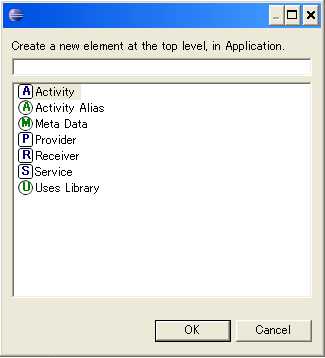
Because there (image red frame portion above) the bottom left of the screen section, is that "Application Nodes", I press the Add button here. Then the following screen will open.
How to Add Activity in Eclipse
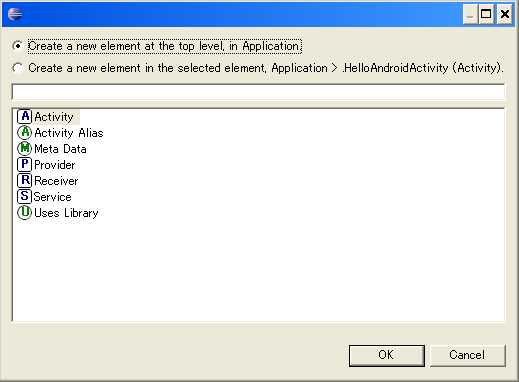
※ When it is if you are adding the Activity already, it is also possible that there is a radio button as shown below, please select the option of one eye at that time.
How to Add Activity in Eclipse
Because there in the list box below, is that "Activity", I double-click on it. and (can be OK to select)
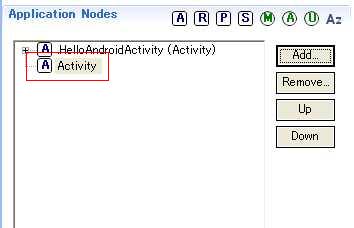
Then, I think as part of the red frame of the image below, the Application Nodes, elements of "Activity" has been added.
How to Add Activity in Eclipse
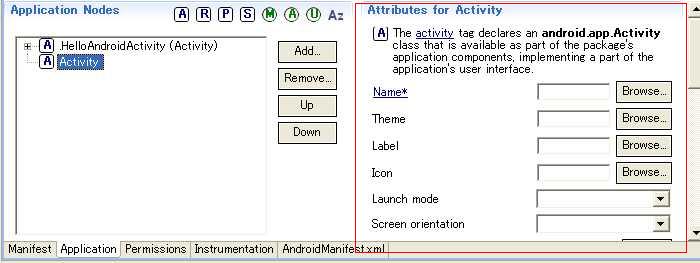
While selecting this, I see a place on the right side of the screen called "Attributes for Activity".
I think that it is similar to the one in the figure below.
How to Add Activity in Eclipse
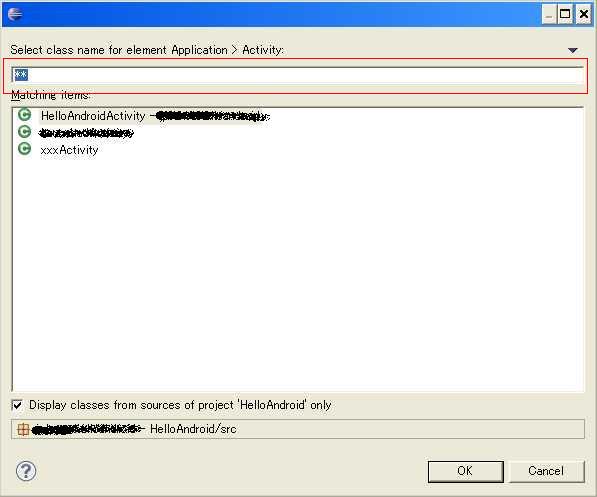
Because there there is that "Name" and press the Browse button on the right side, the following screen will open.
How to Add Activity in Eclipse
The image frame red part of the window that opens, there is a text box.
Here, I'll do I devoted the class name you just added.
It is OK it does depend from the list below.
In is complete, press OK, and if you save the Manifest.xml.


Now, you are finished for additional of Activity.
In this article, I will end with the description of the previous steps.

After, you will carry by adding the definition of the layout, and, pursuing the implementation of the Activity class.

Add to Hatena Bookmark this entry

Sponsored Links

Trackback URL for this post:

3 comments

  1. To [...] Li, so we covered before ways to add Activity, please refer to it. I will show you how to activate the activity of adding another Activity in Eclipse. I introduced earlier, voice Fa [...]

  2. Pirro chuck from:

    I was allowed to look blog.
    Currently, it is a person of learning, but will be helpful very content is clearly very self-taught app development!
    You really helpful if there is this kind commentary's like because it is a stage you are going to write while looking around the site variety.

    I will be helpful in the future ^ ^

  3. from admin:

    Thank you for your comment.
    Please do your best study!

Leave a comment

never e-mail address will be published.

*


HTML tags and attributes the following can be used: <a href="" title=""> <abbr title=""> <acronym title=""> <b> <blockquote cite=""> <cite> <code> <del datetime=""> <em> <i> <q cite=""> <strike> <strong>

è